Role
As a Product designer, I inherited early concepts, partnered with PM and AI developers to define MVP scope and designed and tested the complete UX flow.
Time
Aug - Nov 2025
Impact
50% time reduction target, MVP for email builder AI interaction
Tags
Impact
Business
Position APSIS competitively in the AI-first MarTech landscape.
Set the blueprint for future AI interactions across the platform.
Address urgent market need to prevent user churn to AI-native competitors.
User
Target: 50% reduction in email creation time.
Enhanced agency through multimodal prompts and preset management.
Maintained familiarity while introducing cutting-edge AI capabilities.
Design
Established design patterns for platform-wide AI infusion.
Set up guidelines for AI communication design at the company level.
Validated through 4 rounds of usability testing with varying user expertise.
Problem
APSIS clients were stuck in manual, time intensive email creating workflows out-of-touch with today's improved, AI-first approach.
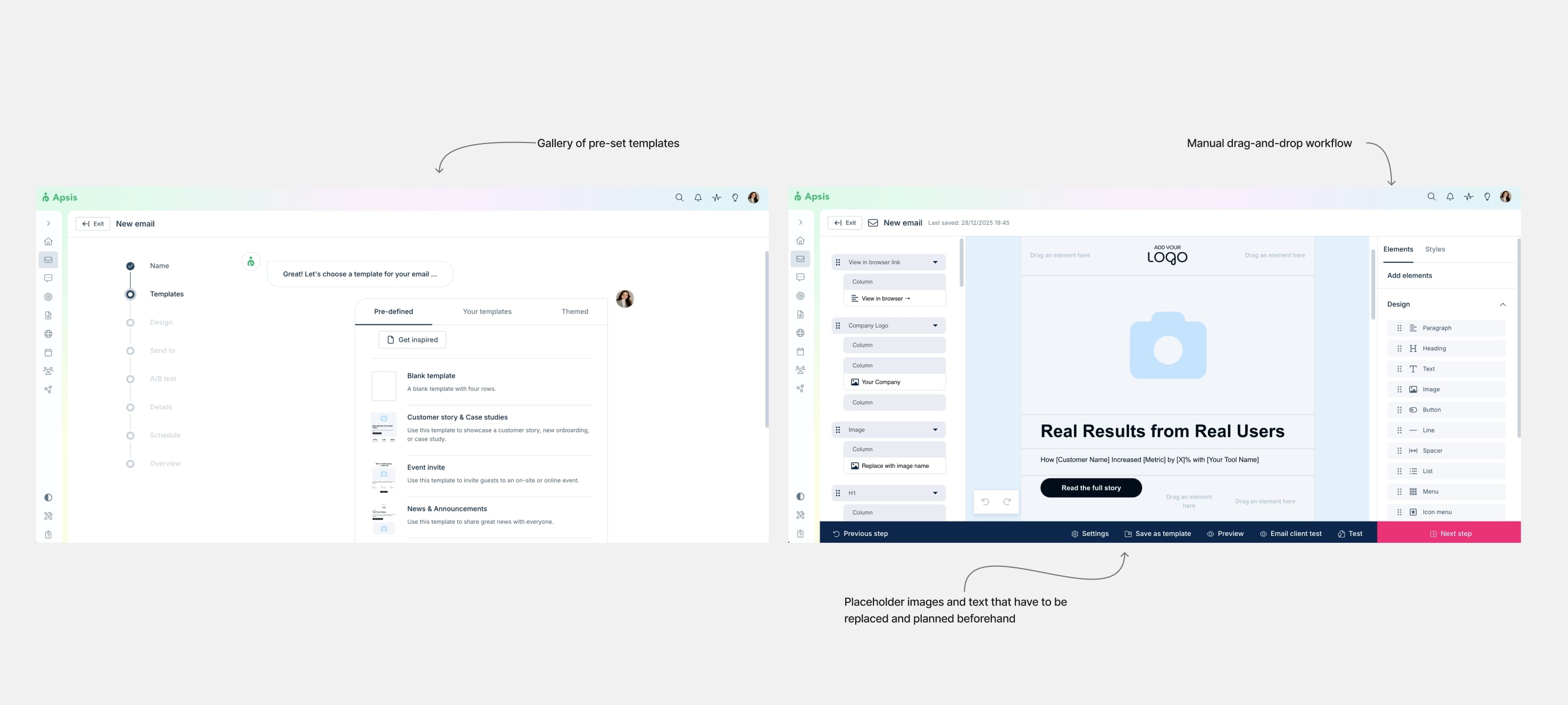
Users' current behavior is creating emails with pre-saved templates, either from a gallery provided by APSIS itself or custom ones. The biggest part of the email design flow is very manual, from creating and adding rows and sections to the layout, to uploading images and saving assets like footers and headers for reuse.
With the advent of AI tools, users are externalizing much of their workflow, using them for content writing, image creation and inspiration. This not only showed an increasing demand for smooth, finely integrated, AI-first workflows but also an apparent threat to platform relevance.
The main challenge is to successfully mix the current, manually heavy behavior with the kind of prompt-based manipulation that's so characteristic of today's AI agents. I'd like to emphasize the word "mix" because we expect the standard use of the new features to live alongside the current ones and not replace them, at least not at first.
Initial concept
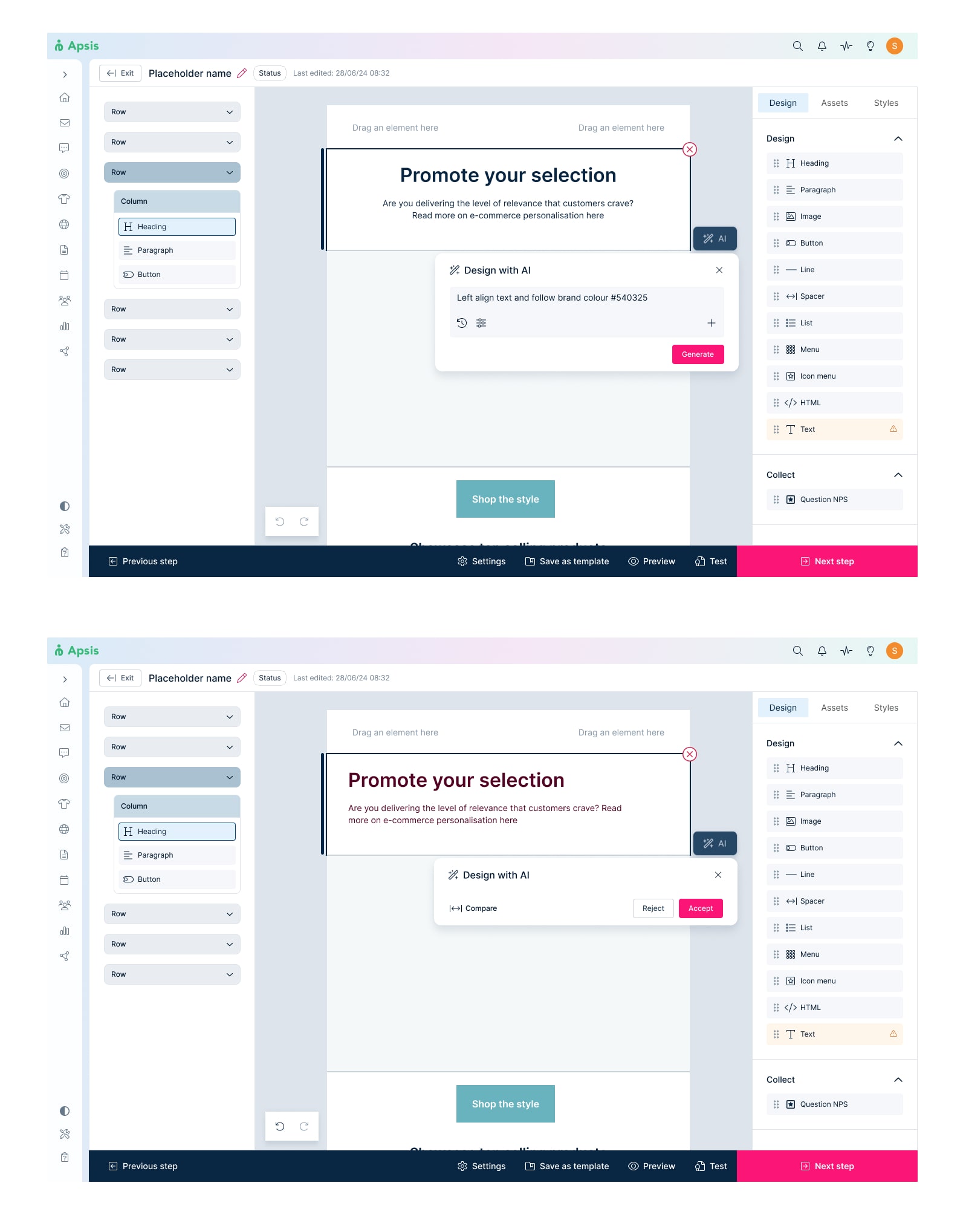
The original idea I inherited was for the user to prompt their way to a first draft, and then make only small changes on a subtle, out of the way UI that could easily be disregarded.
Upgraded designs
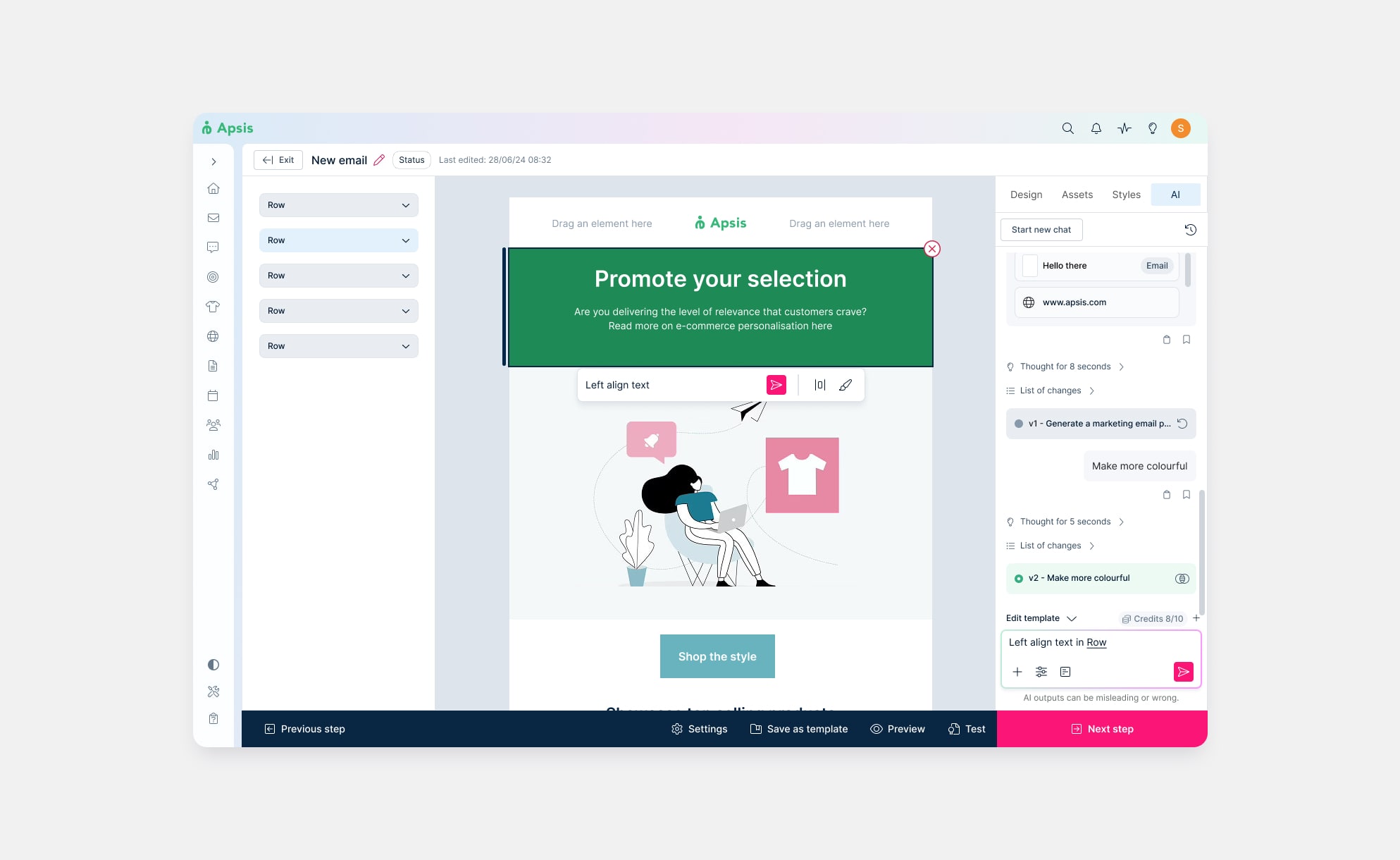
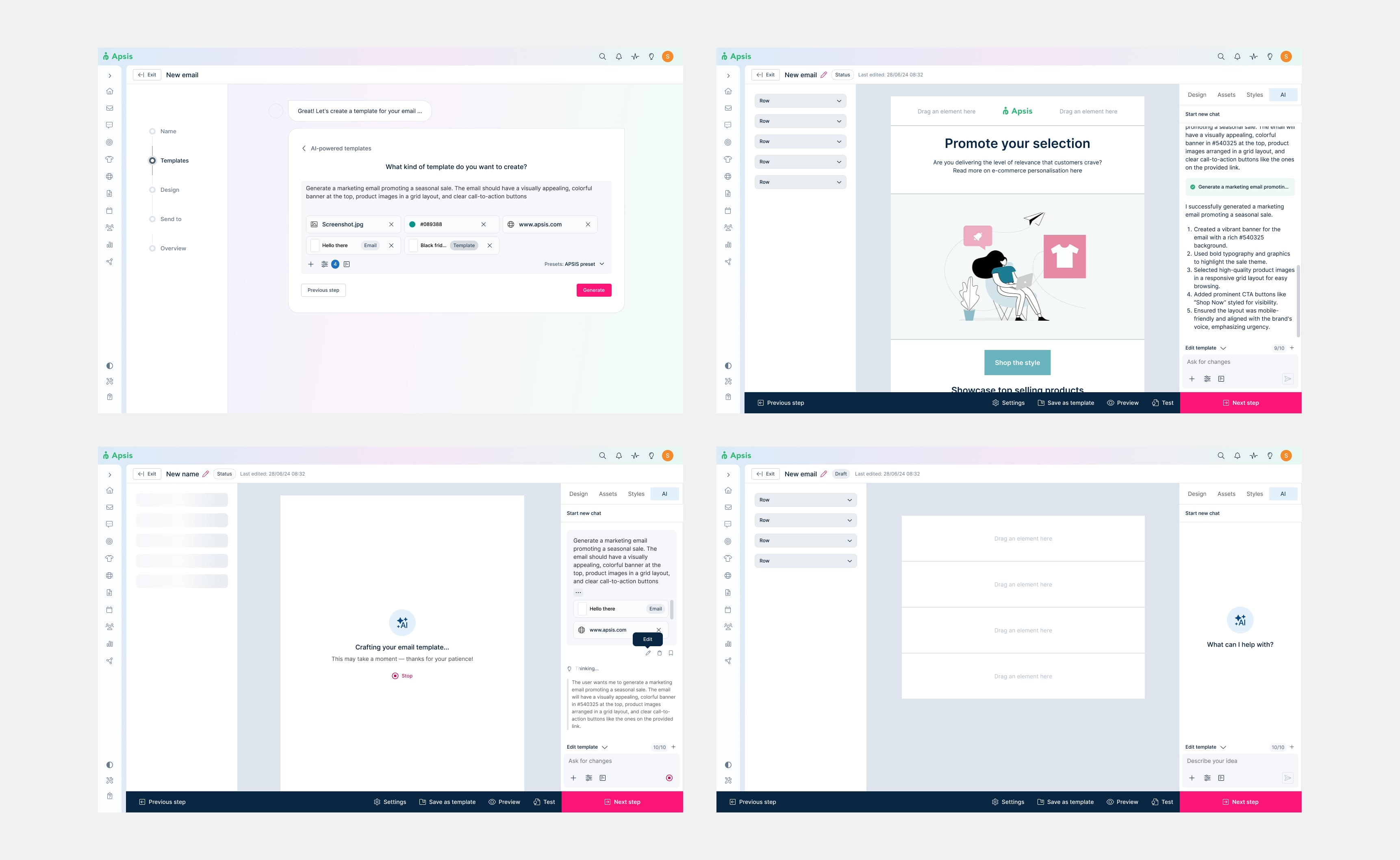
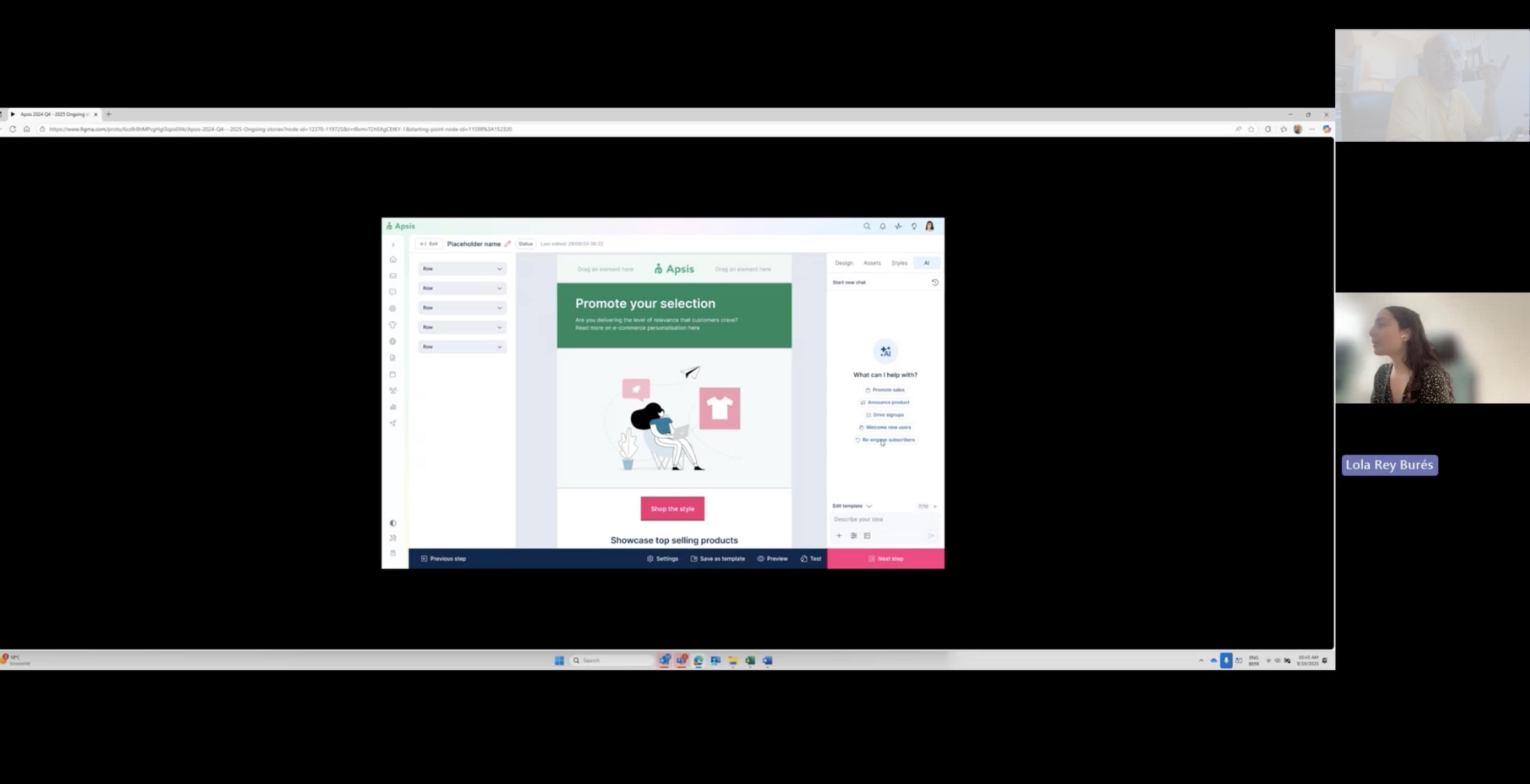
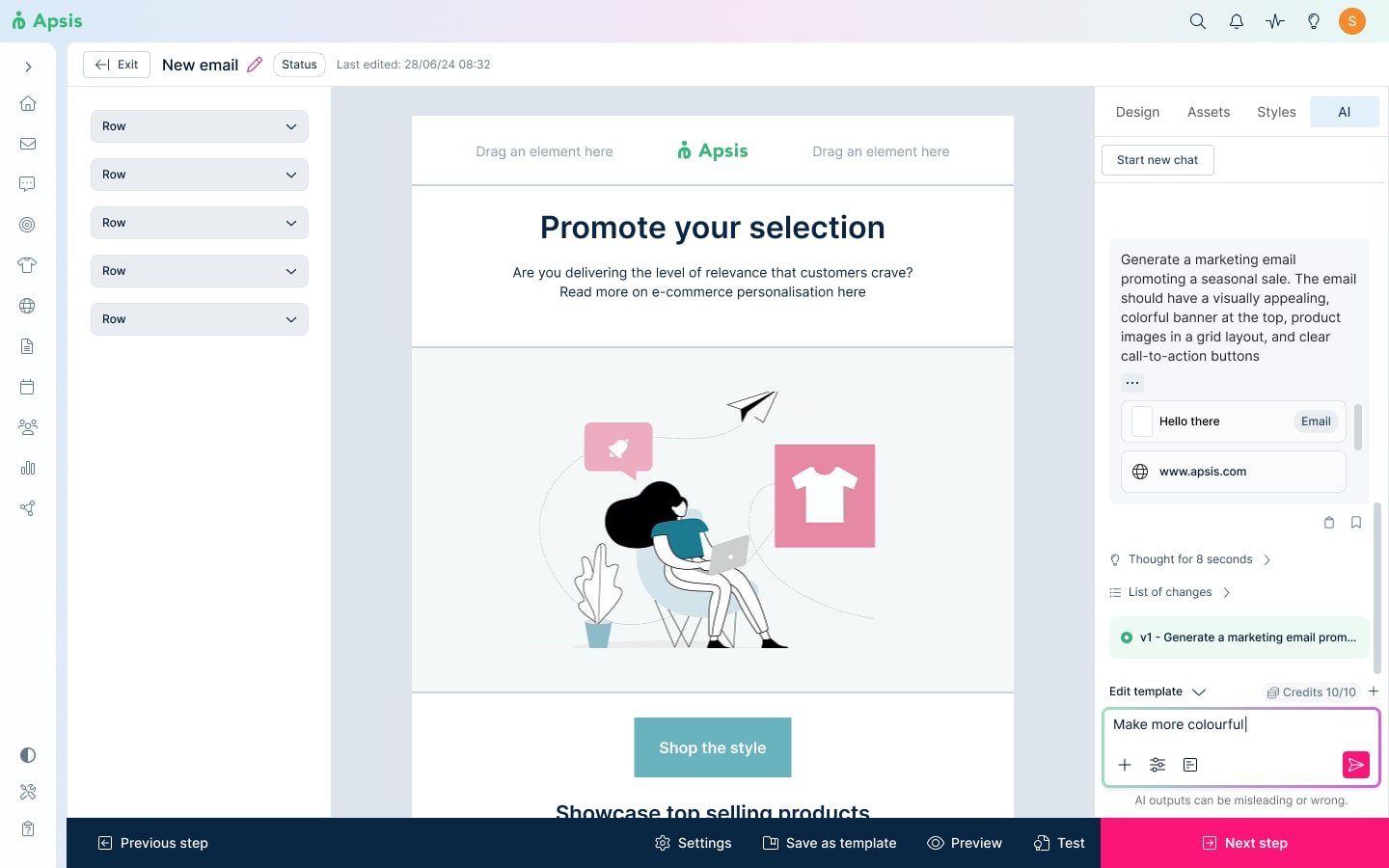
Turns out I had vastly underestimated the capabilities of our AI model, and this solution was too conservative for the direction the business wanted to go for. After a much needed alignment meeting, we agreed to take the feature to the next level with a chat interface that could be accessed directly from the email builder canvas.
Usability testing
This being APSIS's first AI-powered builder meant the feature was becoming increasingly complex. With no testing initially planned, I pitched the idea to my PM and made it happen within a week.
Findings and iterations
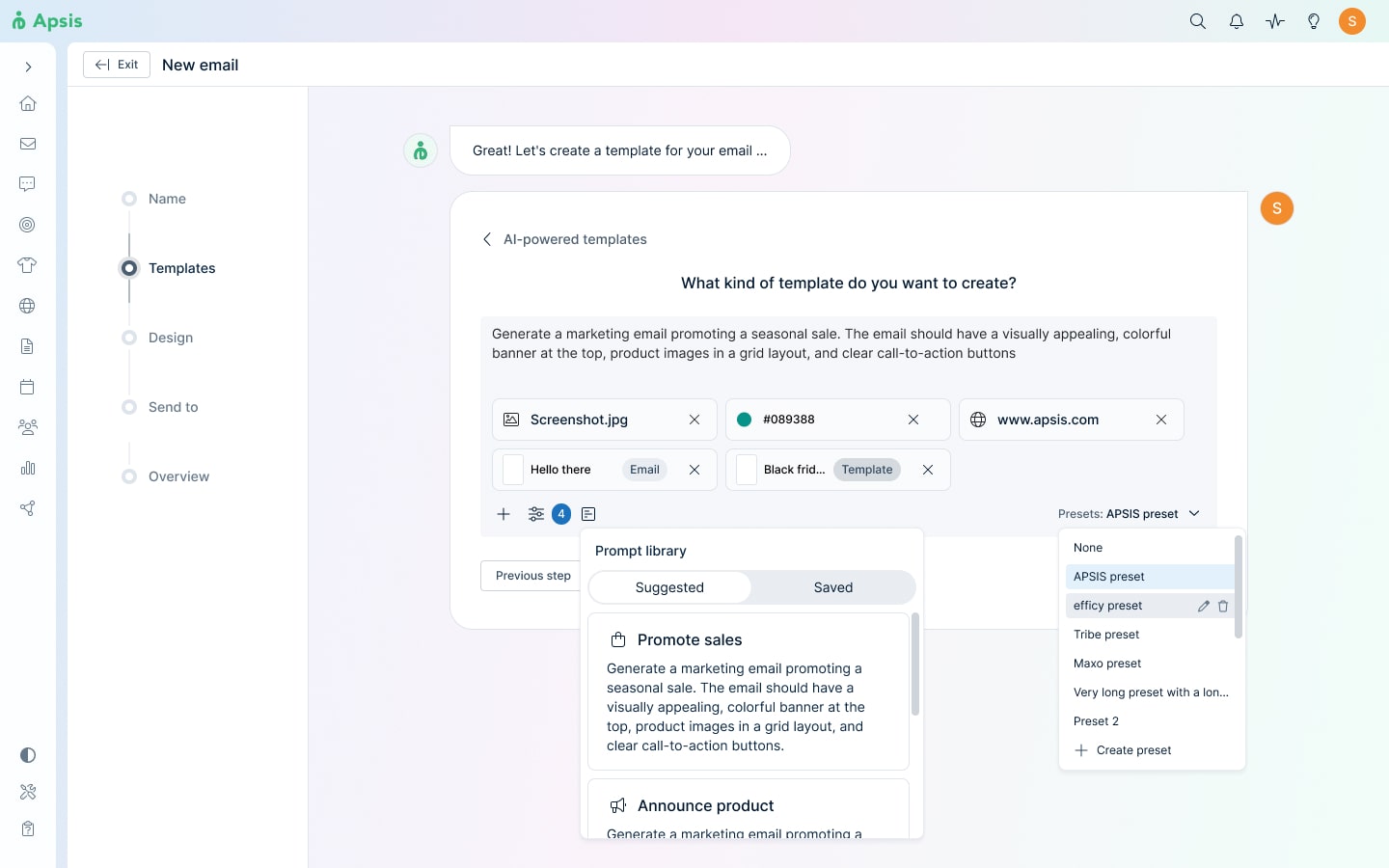
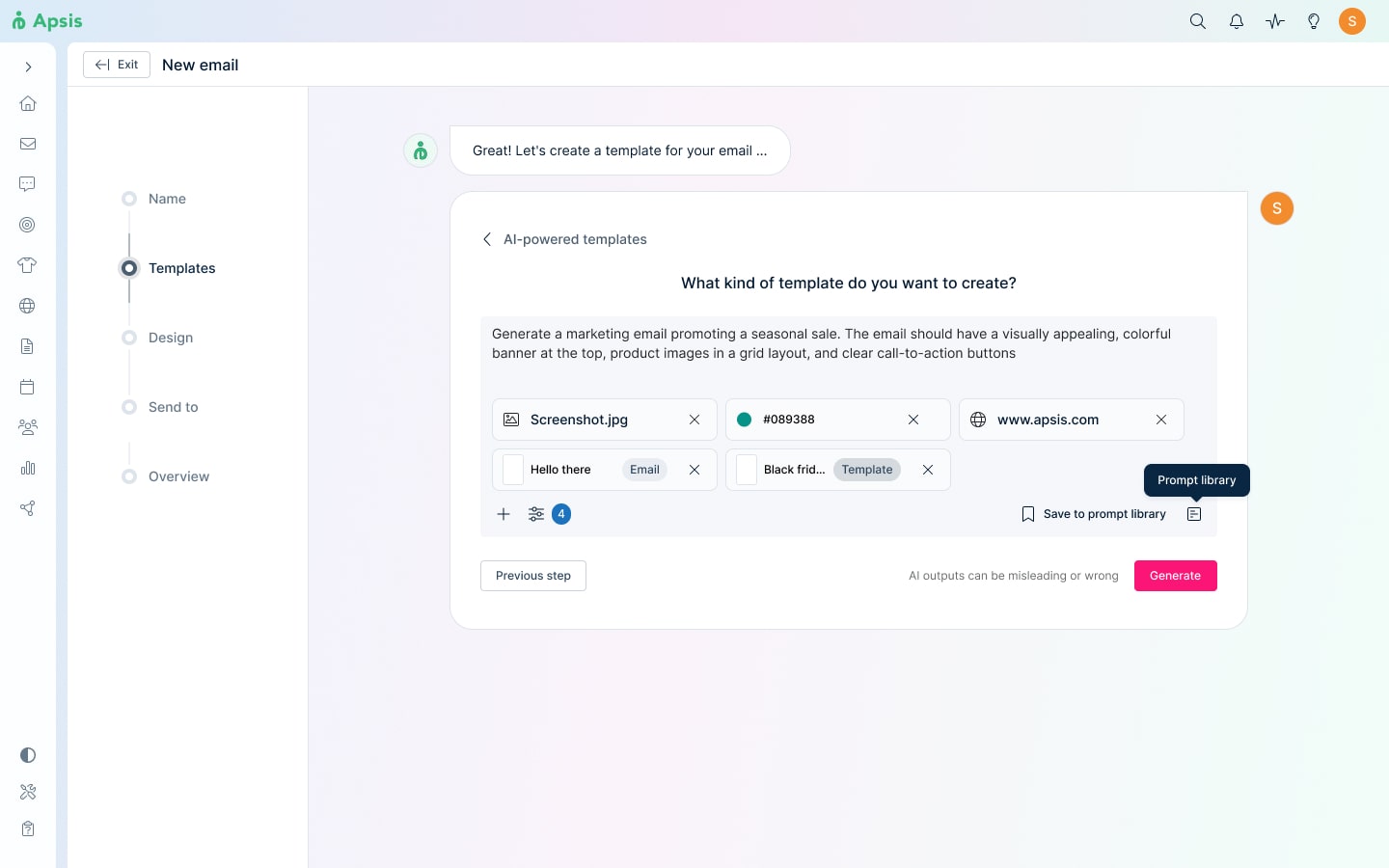
Prompt library vs pre-set creation.
Users unanimously agreed that they were redundant, and that they'd find it most valuable to have the prompt library at the user level and the presets at the admin level. The impact of this change was better control of branding guidelines and alignment with existing user provisioning. The latter was removed from the MVP in favor of focusing on a platform-wide AI admin section in the future, from where to manage all AI preferences. For the current project, this was out of scope.
Chat limits and visual messaging
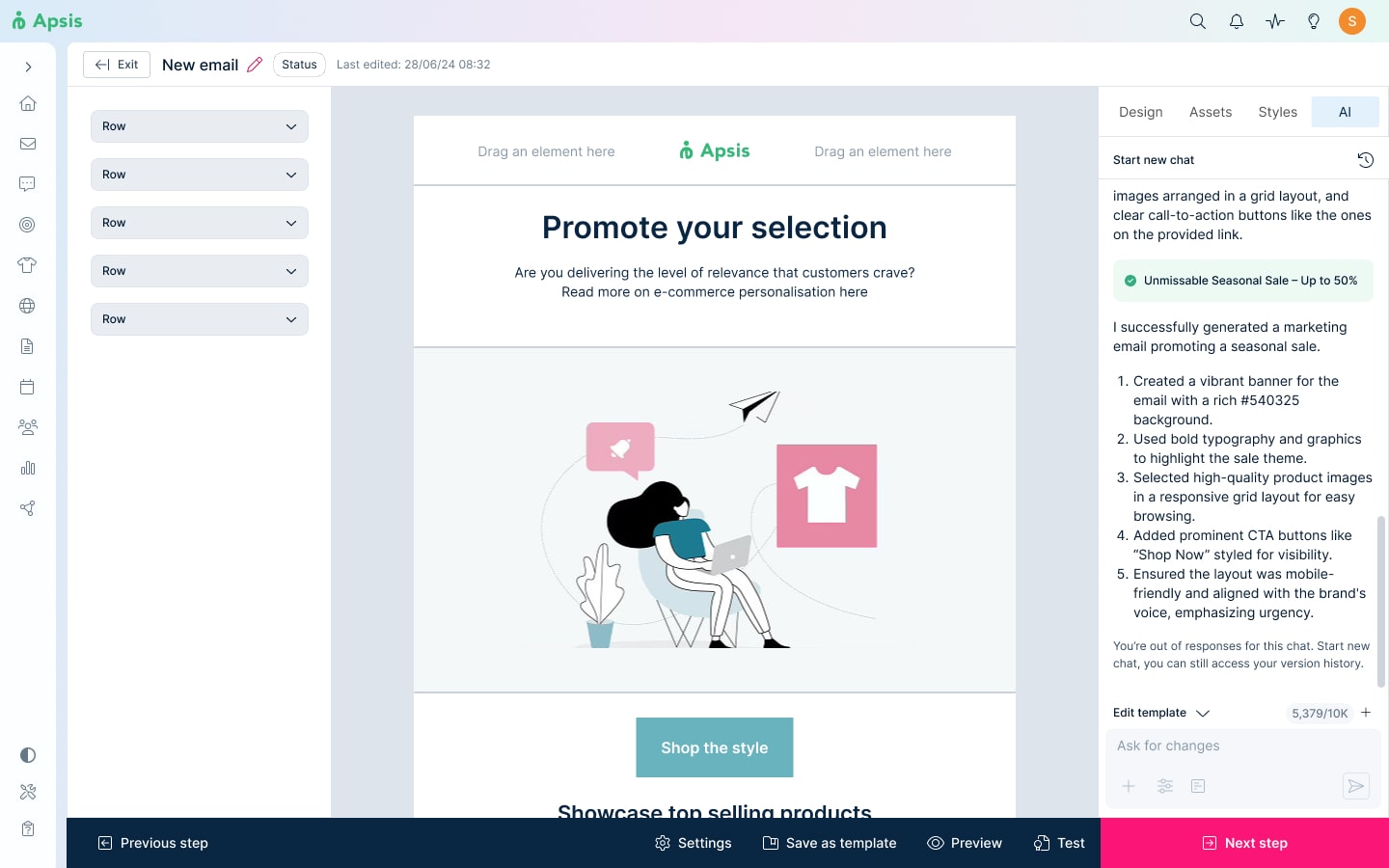
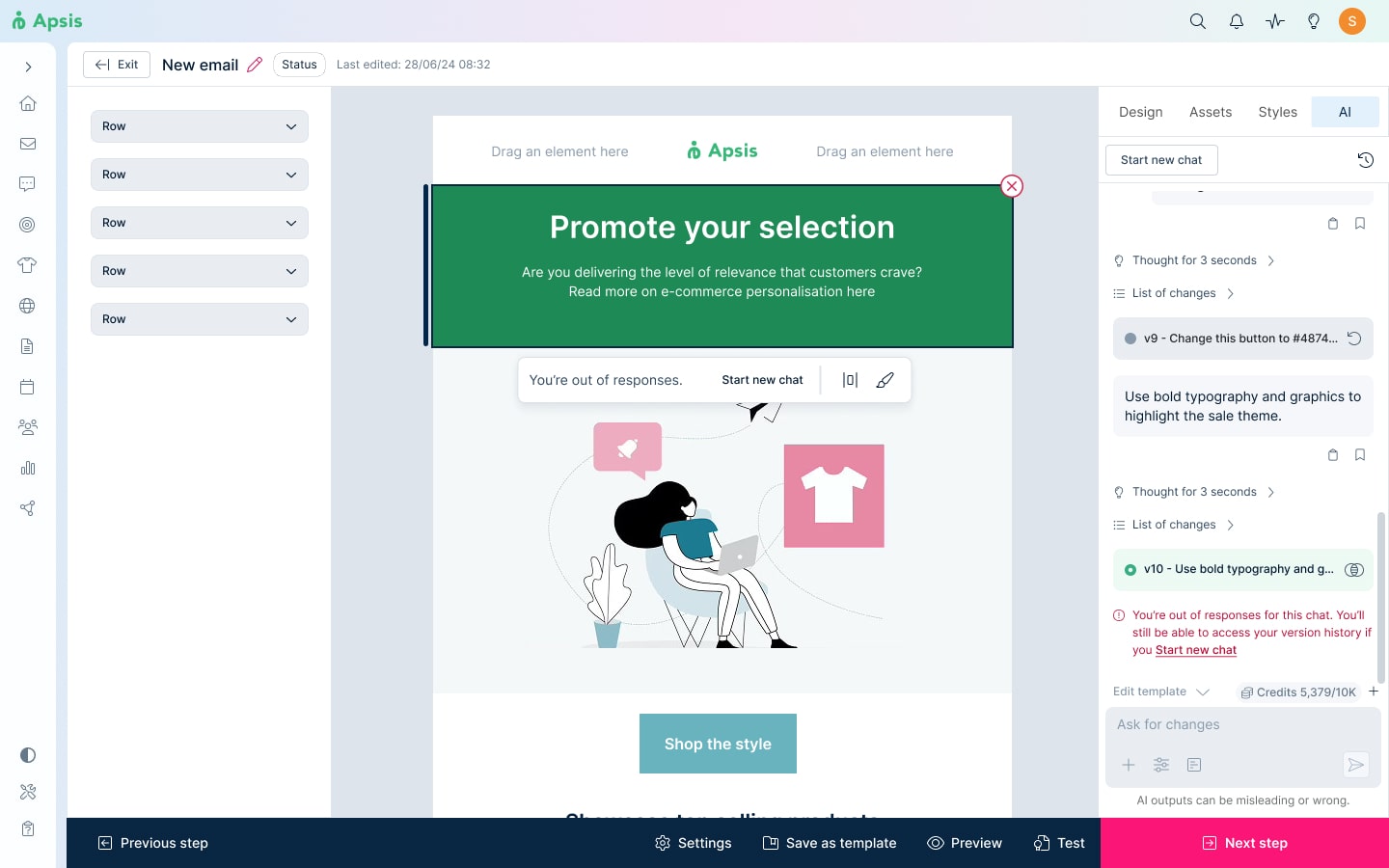
The "Start new chat" button was missed. Users expected chat limits to be tied directly to the credit system, and were confused when they ran out of responses while still having credits left. I redesigned the chat limit indicator to give warnings in advance and display color-coded messages and added a shortcut button to support the original placement of the static one. However, it's clear that users did not expect this limitation for single-chat projects, and while needed for technical constraints, the ideal solution would be to remove it altogether.
Version control and comparison clarity
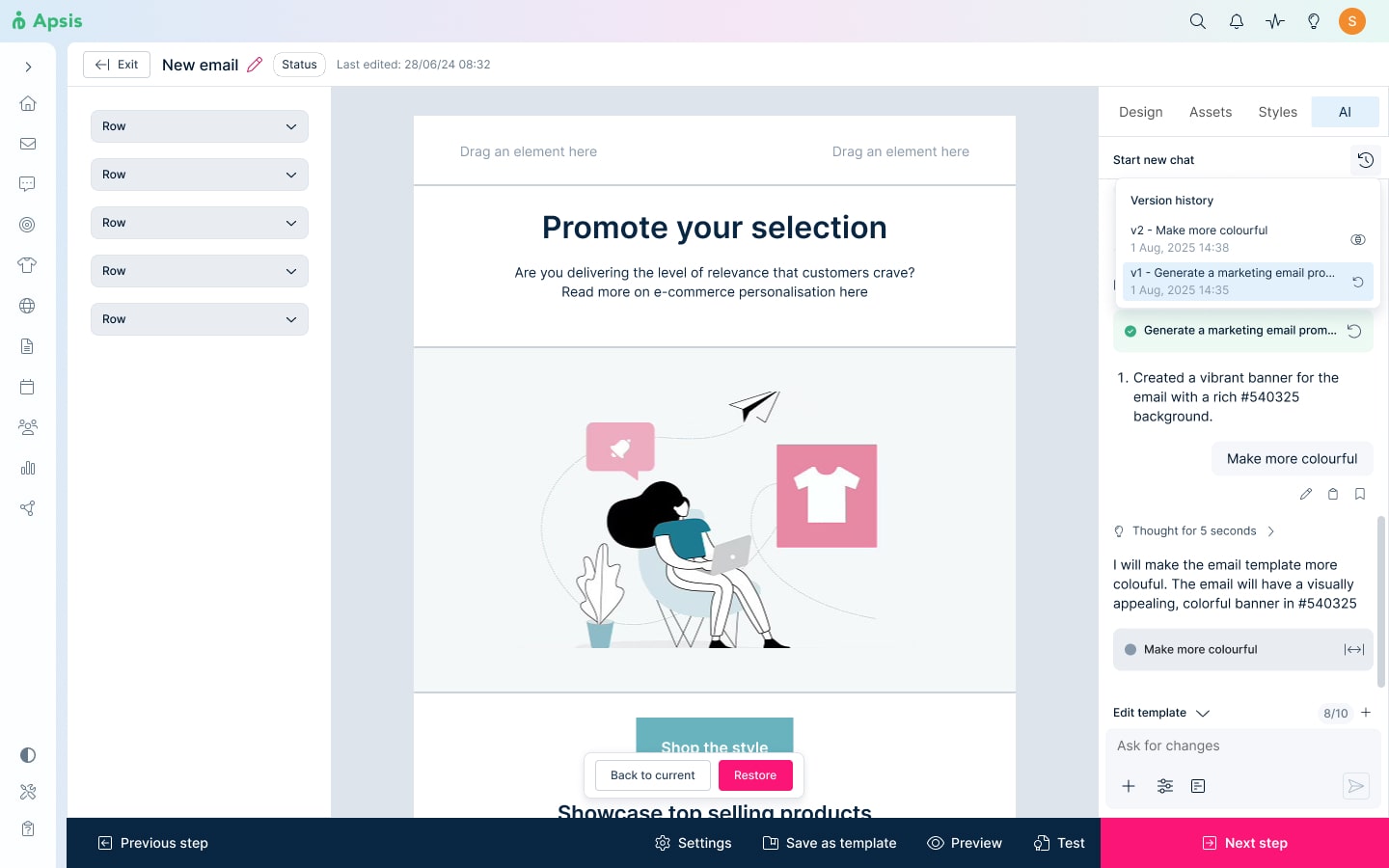
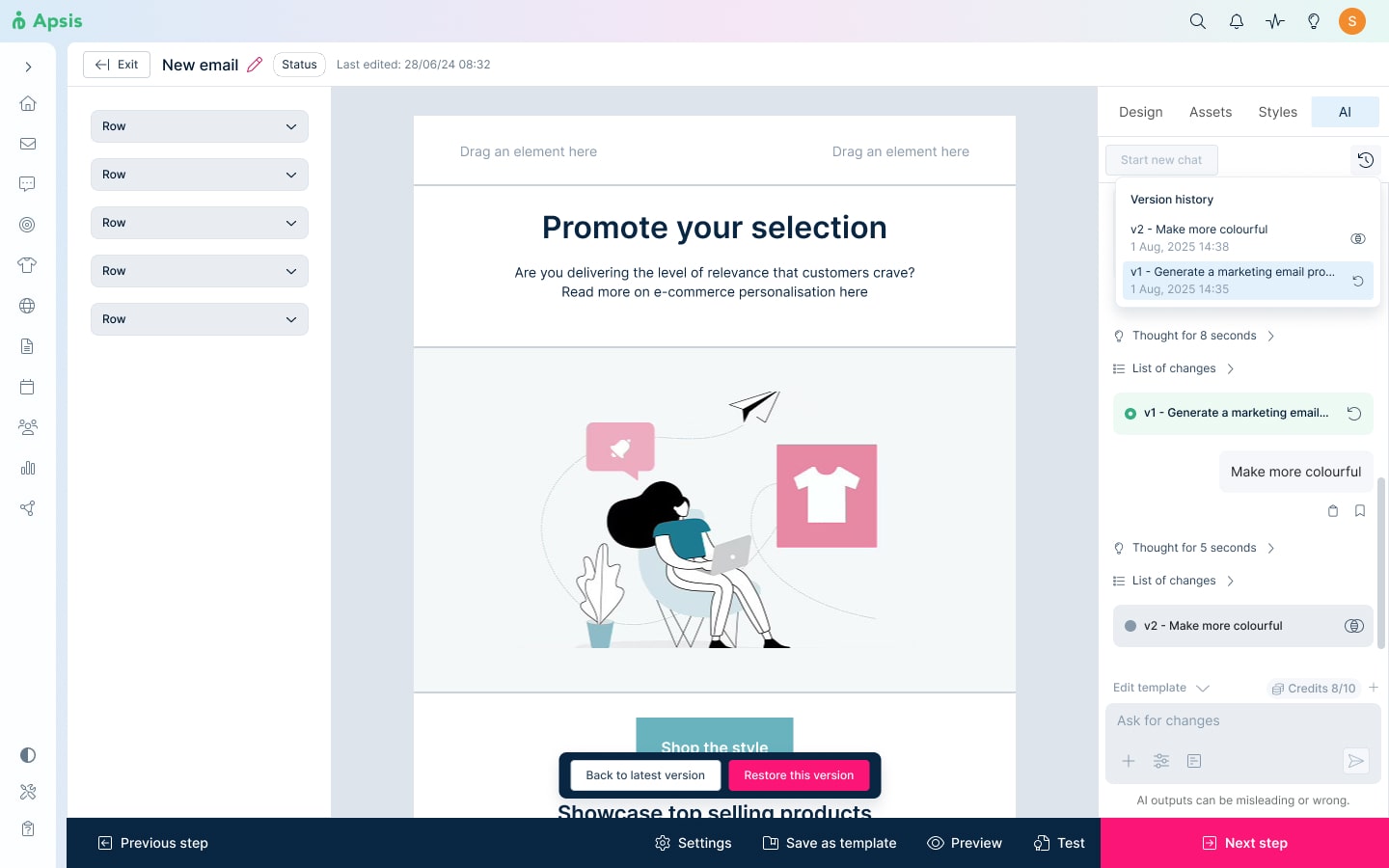
Users struggled significantly with preview vs. restore distinctions, with comparison icons either misinterpreted, hard to find, or completely missed. The lack of clear affordances for the version cards meant users often were uncertain about how to revert or compare versions, and actually got it completely backwards at times. I improved this by adding more explicit labels and icons, and adjusting the cards for better visual feedback.
Prompting interface and visual load
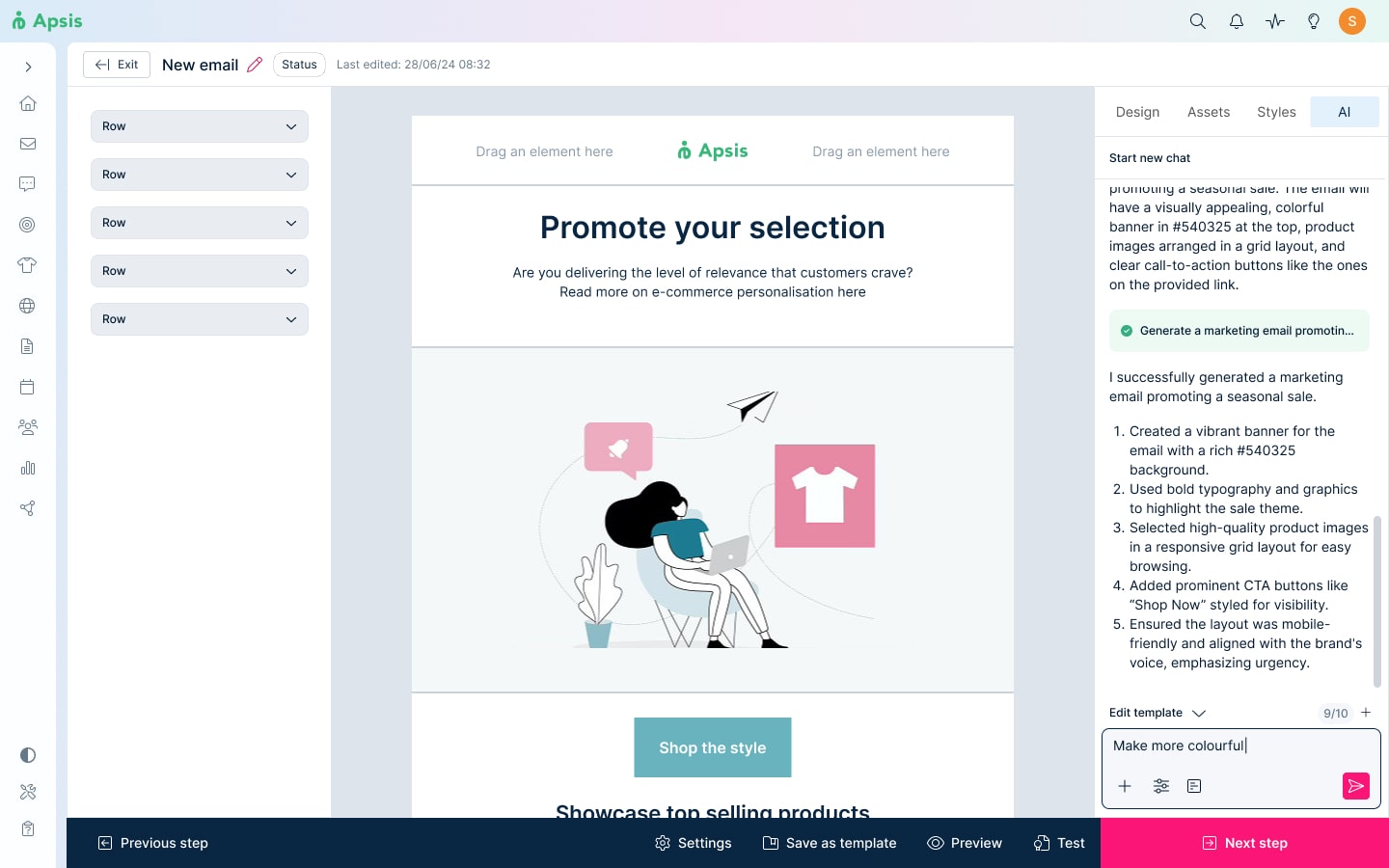
The prompt input area took longer to find than desired due to an already heavy layout and color blending of the existing elements with the new chat. This caused the chat interface to feel overwhelming with too many options visible at once. This combination of unclear input affordances and visual overload made the interface intimidating for non-AI experts, one user even going as far as not recognizing it as a chat at all. I redesigned the input field with stronger color contrast to make it the first thing that popped to the user and collapsed explanatory metadata by default, since users complained about huge walls of irrelevant text.
Solution
Key takeaways
Conservative isn't necessarily safe
It never occurred to me that being too conservative on my approach could backfire. I underestimated the AI model's capabilities and designed a solution that fell short of the business direction. Involving just the PM was insufficient, I was missing critical information only AI developers could provide. By not involving them at the earliest stage, I created unnecessary feedback loops that delayed progress.
Designing for AI literacy is everything
While AI interaction patterns are solidifying across the industry, applying them to products with low-AI-savvy users requires careful tailoring. Users felt out of control and overwhelmed by too many options and unclear affordances. One-size-fits-all AI doesn't work when half your audienceis new to AI, reducing cognitive load and building confidence alongside capability is as important as providing shortcuts for power users.
Feature bloat could kill your product
Supposedly valuable features such as chat modes and metadata explanations actually created friction and confusion. Testing with diverse user expertise levels forced us to prioritize ruthlessly: content over options, clarity over comprehensiveness. The MVP is stronger for what we removed than what we added.